How to Design a Mind Map: Step-by-Step Guide for Students, Businesses, and Creative Thinkers in 2026
Learning how to design a mind map can completely change the way you think, plan, study, and organize ideas. A mind map is more than a colorful diagram. It is a smart visual thinking tool that helps people connect information in a simple and creative way.
Students use mind maps to study faster. Business owners use them to plan projects. Writers use them to organize content ideas. Teachers use them to explain lessons clearly. Even large companies use mind mapping to improve teamwork and decision-making.
If you have ever felt confused by too many ideas, tasks, or notes, mind mapping can help you bring everything together in one easy-to-understand structure.
This guide explains how to design a mind map step by step in very simple language. You will also learn practical techniques, common mistakes, digital tools, examples, and advanced strategies that most online articles do not explain in detail.
By the end of this article, you will know:
- How to design a mind map from start to finish
- How to design a good mind mapping structure
- How to design a mind map on Word
- How to design a mind map or a theoretical framework
- How to make a multimodal design: iceberg mind map
- The best colors, layouts, and symbols to use
- How professionals use mind maps for work and learning
- Mistakes that make mind maps ineffective
- Modern mind mapping trends in 2026
This article is designed for beginners and professionals who want a clear, easy-to-read, and practical guide.
What Is a Mind Map?
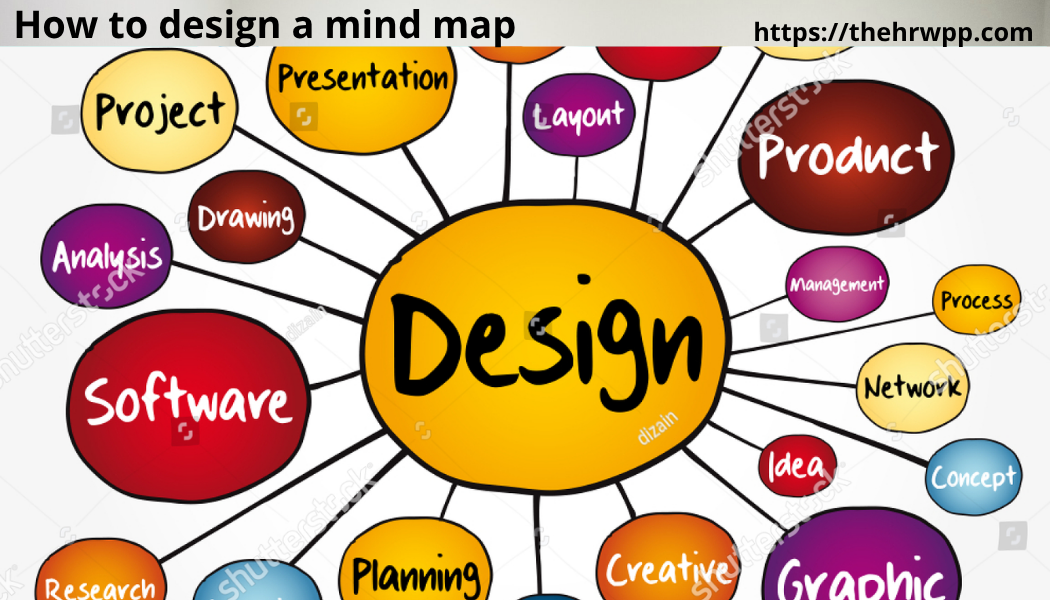
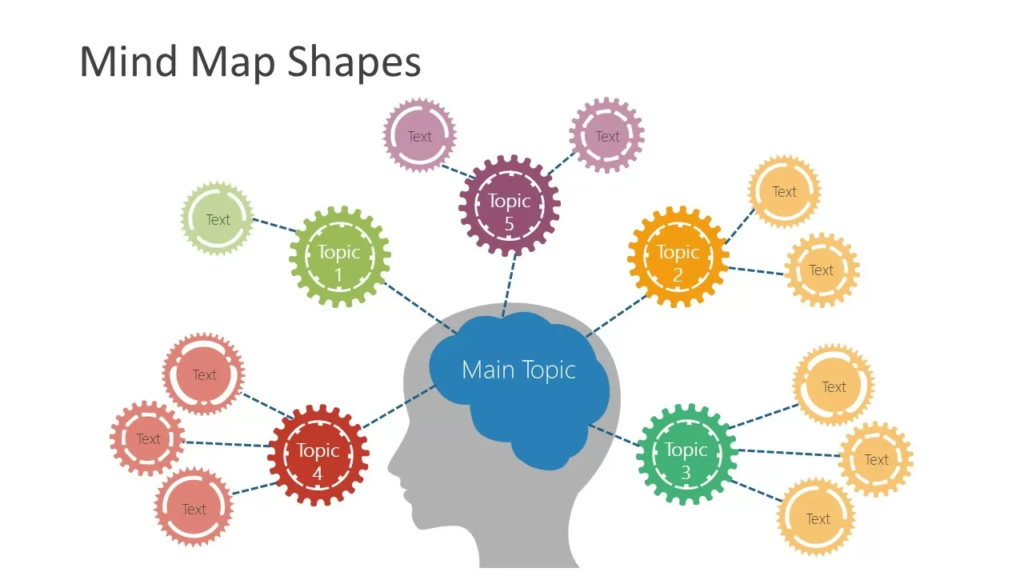
A mind map is a visual diagram that starts with one main idea in the center. Related ideas branch out from the center like a tree.
Each branch represents a topic, category, or thought connected to the main idea.
For example, if the center idea is “Healthy Living,” the branches may include:
- Exercise
- Nutrition
- Sleep
- Mental Health
- Water Intake
Each branch can also contain smaller sub-branches with more details.
Mind maps are useful because the human brain naturally connects ideas visually instead of reading long blocks of text.
Traditional notes often feel boring and difficult to remember. A mind map turns information into a simple visual system that is easier to understand.
Why Mind Maps Are So Powerful
Understanding how to design a mind map is important because mind maps improve both creativity and productivity.
Research in learning psychology shows that visual learning helps the brain process information faster.
Here are some major benefits of mind mapping:
Better Memory
Mind maps combine words, colors, and structure. This helps the brain remember information more easily.
Faster Learning
Students can review a complete topic quickly instead of reading many pages of notes.
Improved Creativity
Mind maps encourage free thinking and idea connections.
Better Problem Solving
Complex problems become easier to understand when broken into branches.
Easier Planning
Projects, business plans, and goals become more organized.
Reduced Stress
Mind maps help clear mental clutter and simplify overwhelming tasks.
The Science Behind Mind Mapping
Mind mapping works because it matches the brain’s natural thinking style.
The brain does not think in straight lines. It thinks through associations and connections.
When you hear the word “vacation,” your brain may instantly connect it with:
- Beach
- Travel
- Hotels
- Relaxation
- Family
- Budget
This network-style thinking is exactly how mind maps work.
Modern neuroscience also supports visual learning because images and patterns help strengthen memory retention.
This is why many professionals now prefer visual planning systems instead of traditional note-taking methods.
How to Design a Mind Map Step by Step
Learning how to design a mind map becomes much easier when you follow a simple process.
Step 1: Choose Your Main Topic
Start with one central idea.
This should be the most important subject of your mind map.
Examples include:
- Business Strategy
- Exam Preparation
- Digital Marketing
- Fitness Goals
- Website Planning
- Book Summary
Write this topic in the center of the page.
If possible, use a short phrase instead of a long sentence.
Good examples:
- Healthy Eating
- Career Goals
- Content Marketing
Bad examples:
- Things I Need To Improve In My Daily Health Routine
Short phrases are easier for the brain to process.
Step 2: Create Main Branches
Now add major categories connected to the central topic.
These become the main branches.
For example, if the main topic is “Starting a Business,” the main branches could be:
- Marketing
- Finance
- Products
- Team
- Operations
- Customers
Keep your branches balanced.
Do not add too many branches at the beginning.
Usually 4 to 8 main branches work best.
Step 3: Add Sub-Branches
Each main branch can now contain smaller ideas.
For example:
Marketing:
- Social Media
- SEO
- Email Campaigns
- Advertising
Finance:
- Budget
- Expenses
- Revenue
- Taxes
This structure helps organize information clearly.
Step 4: Use Keywords Instead of Long Sentences
One of the biggest secrets of effective mind mapping is using keywords.
Instead of writing:
“Improve social media engagement with short videos.”
Write:
- Short Videos
- Engagement
- Reels
Keywords improve speed, clarity, and memory.
Step 5: Add Colors
Colors make mind maps more engaging and easier to remember.
You can use:
- Blue for planning
- Green for growth
- Red for urgent ideas
- Yellow for creativity
Different colors help separate categories visually.
Step 6: Use Images and Symbols
The brain remembers pictures faster than plain text.
Adding icons or small drawings improves understanding.
Examples:
- Dollar sign for finance
- Light bulb for ideas
- Clock for deadlines
- Rocket for goals
Step 7: Keep the Layout Simple
A mind map should feel clean and easy to read.
Avoid adding too much information in one area.
Leave space between branches.
Simple mind maps are usually more effective than crowded ones.
How to Design a Good Mind Mapping Structure
Many people ask how to design a good mind mapping layout that actually works.
A good mind map is not just colorful. It must also be logical.
Here are important principles professionals follow.
Use Clear Hierarchy
The most important ideas should appear closer to the center.
Smaller details should move outward.
This creates visual organization.
Keep Branch Length Balanced
Very long branches make mind maps look messy.
Try to keep branch sizes similar.
Group Related Ideas Together
Connected topics should stay close to each other.
This improves understanding.
Use Consistent Colors
Assign one color per category.
This makes navigation easier.
Focus on Readability
If the mind map is difficult to read, it loses effectiveness.
Clean spacing is important.
Prioritize Simplicity
A simple mind map is often stronger than a complicated one.
Best Tools for Mind Mapping in 2026
Today, both paper and digital mind maps are popular.
Here are some excellent tools.
XMind
A popular tool for students and professionals.
Features include:
- Templates
- Collaboration
- Export options
- Presentation mode
MindMeister
Excellent for online teamwork.
Great for remote teams and brainstorming.
Miro
Useful for large visual collaboration projects.
Canva
Good for visually attractive mind maps.
Microsoft Word
Many beginners want to learn how to design a mind map on Word because it is already installed on many computers.
How to Design a Mind Map on Word
You do not need advanced software to create a professional mind map.
Microsoft Word can also work well.
Here is a simple process.
Open a Blank Document
Start with an empty page.
Landscape orientation often works best.
Use SmartArt
Go to:
Insert → SmartArt → Relationship
Choose a layout that looks similar to a mind map.
Add the Main Topic
Place your central idea in the middle.
Create Branches
Add related topics around the center.
Customize Colors
Use different colors for categories.
Add Icons or Shapes
Word allows shapes, arrows, and symbols.
Save as PDF
Export your final design for sharing.
Although Word is not a specialized mind mapping tool, it works well for basic projects.
How to Design a Mind Map for Students
Students are one of the biggest users of mind maps.
Mind maps help students:
- Study faster
- Remember information longer
- Prepare for exams
- Organize assignments
- Improve concentration
Best Subjects for Mind Mapping
Mind maps work especially well for:
- Science
- Biology
- History
- Literature
- Business Studies
- Psychology
Study Tip
After reading a chapter, create a mind map from memory.
This strengthens recall and understanding.
How Businesses Use Mind Maps
Mind maps are now common in modern workplaces.
Businesses use them for:
- Project planning
- Marketing strategies
- Team collaboration
- Product development
- Meeting notes
- Workflow organization
Large companies often use digital mind maps during brainstorming sessions because visual thinking encourages innovation.
How Content Creators Use Mind Maps
Bloggers, YouTubers, and marketers often use mind maps for content planning.
For example, a YouTube creator may place “Fitness Channel” in the center and branch into:
- Workout Videos
- Nutrition Tips
- Shorts Ideas
- Sponsorships
- Audience Questions
This makes content planning easier and faster.
How to Design a Mind Map or a Theoretical Framework
Researchers and academic writers often ask how to design a mind map or a theoretical framework.
A theoretical framework explains the relationship between concepts in research.
Mind maps help visualize those relationships clearly.
Also read:Mind Map: The Complete Guide to Mind Mapping for Better Learning, Planning, and Creativity
Step 1: Start With the Research Topic
Place your research topic in the center.
Example:
“Impact of Social Media on Student Performance”
Step 2: Add Main Variables
Branches may include:
- Study Time
- Attention Span
- Motivation
- Academic Results
Step 3: Connect Related Concepts
Use arrows or colors to show relationships.
Step 4: Add Supporting Theories
You can include:
- Learning Theory
- Behavioral Theory
- Communication Theory
This approach helps researchers organize complex information visually.
How to Make a Multimodal Design: Iceberg Mind Map
One advanced technique is learning how to make a multimodal design: iceberg mind map.
This style combines visual thinking with deeper layers of meaning.
An iceberg mind map shows:
- Visible information above the surface
- Hidden causes below the surface
For example, in a business problem:
Visible problems:
- Low sales
- Customer complaints
- Poor reviews
Hidden causes:
- Weak leadership
- Poor training
- Bad communication
- Low employee morale
This type of mind map helps people analyze root causes instead of only visible symptoms.
Why Iceberg Mind Maps Are Powerful
They encourage deeper thinking.
They also improve:
- Critical thinking
- Problem analysis
- Strategic planning
Many educators and consultants now use iceberg mind maps for advanced learning and leadership training.
Common Mind Mapping Mistakes
Many people create mind maps incorrectly.
Here are the most common mistakes.
Adding Too Much Text
Mind maps should contain keywords, not paragraphs.
Using Too Many Colors
Too many colors can become distracting.
Poor Organization
Random branches create confusion.
No Visual Hierarchy
Important ideas should stand out.
Overcomplicated Layout
A mind map should simplify information, not complicate it.
Paper Mind Maps vs Digital Mind Maps
Both methods have advantages.
Paper Mind Maps
Benefits:
- More creative freedom
- Better memory retention
- No screen distractions
Disadvantages:
- Harder to edit
- Limited sharing options
Digital Mind Maps
Benefits:
- Easy editing
- Collaboration tools
- Cloud storage
- Professional appearance
Disadvantages:
- May feel less creative for some users
The best choice depends on personal preference.
Best Colors for Mind Mapping
Color psychology can improve the effectiveness of mind maps.
Blue
Associated with logic and trust.
Green
Represents growth and balance.
Yellow
Encourages creativity and energy.
Red
Highlights urgency or importance.
Purple
Often connected with imagination and innovation.
Using colors intentionally can improve both organization and memory.
Advanced Mind Mapping Techniques
Once you learn the basics of how to design a mind map, you can explore advanced strategies.
Reverse Mind Mapping
Start with a problem and work backward to discover causes.
Collaborative Mind Mapping
Teams create mind maps together during meetings.
Timed Brainstorming
Set a timer and generate as many branches as possible.
Layered Mind Maps
Create multiple levels of depth for complex topics.
AI-Assisted Mind Mapping
Modern AI tools can now generate basic mind maps automatically.
However, human creativity is still important for meaningful structure and interpretation.
How Teachers Can Use Mind Maps
Teachers use mind maps to improve classroom learning.
Mind maps help students:
- Understand lessons faster
- Participate actively
- Build critical thinking skills
- Improve note-taking
Teachers can also use mind maps for lesson planning.
How Mind Maps Improve Productivity
Mind maps reduce mental overload.
Instead of keeping everything in your head, you place ideas into a visual structure.
This helps improve:
- Focus
- Time management
- Planning
- Decision-making
Many successful entrepreneurs use mind mapping daily because it speeds up thinking and organization.
SEO Content Planning With Mind Maps
Digital marketers often use mind maps for SEO planning.
For example, a website about fitness may use branches like:
- Weight Loss
- Meal Plans
- Home Workouts
- Supplements
- Cardio
Each branch can later become blog posts, videos, or social media content.
Also read:How to Send a Secure Email in Outlook: A Complete, Updated 2026 Guide (Step-by-Step for Beginners)
This creates organized content strategies.
The Future of Mind Mapping
Mind mapping continues evolving with technology.
In 2026, major trends include:
AI Integration
AI tools now suggest ideas and categories automatically.
Real-Time Collaboration
Teams across the world can edit mind maps together.
Interactive Presentations
Mind maps are replacing traditional slide presentations.
Visual Knowledge Management
Companies now use mind maps as knowledge databases.
Education Technology Integration
Schools increasingly include mind mapping in digital learning systems.
Despite new technology, the basic principles of good mind mapping remain the same:
- Clarity
- Simplicity
- Organization
- Creativity
Practical Example of How to Design a Mind Map
Imagine you want to plan a new online business.
Your central topic:
Online Business
Main branches:
- Products
- Marketing
- Website
- Budget
- Customers
Sub-branches:
Marketing:
- SEO
- Social Media
- Email Marketing
- Ads
Products:
- Pricing
- Packaging
- Suppliers
Budget:
- Startup Costs
- Monthly Expenses
- Revenue Goals
This structure allows you to see the entire business plan visually.
Why Simplicity Wins
One of the biggest misconceptions about mind mapping is that more detail always means better quality.
In reality, simple mind maps are usually stronger.
Professional mind maps focus on:
- Clear structure
- Easy navigation
- Visual balance
- Fast understanding
The goal is not to create art.
The goal is to improve thinking.
Tips From Professional Mind Mapping Experts
Here are some expert-level tips rarely explained online.
Think Before Drawing
Spend a few minutes understanding your main objective first.
Use Curved Branches
Curved lines often feel more natural and visually engaging than straight lines.
Start Big, Then Go Small
Begin with broad categories before adding details.
Review and Improve
Mind maps should evolve over time.
Focus on Relationships
The connections between ideas are often more important than the ideas themselves.
How Beginners Can Practice Mind Mapping
The best way to learn how to design a mind map is through daily practice.
Easy beginner exercises include:
- Planning your week
- Organizing grocery lists
- Summarizing books
- Planning travel
- Creating fitness goals
Small projects build confidence quickly.
Best Industries for Mind Mapping
Mind mapping works well in almost every field.
Popular industries include:
- Education
- Healthcare
- Marketing
- Business Consulting
- Software Development
- Graphic Design
- Project Management
- Research
- Coaching
This flexibility is one reason mind mapping remains popular worldwide.
Mind Mapping for Personal Growth
Mind maps are also excellent for self-improvement.
People use them to plan:
- Career goals
- Daily habits
- Financial goals
- Vision boards
- Productivity systems
A visual goal structure often increases motivation.
Final Thoughts
Learning how to design a mind map is one of the most valuable skills for modern learning, planning, and creativity.
Mind maps transform scattered ideas into organized visual systems.
Whether you are a student, teacher, entrepreneur, marketer, or researcher, mind mapping can help you think more clearly and work more efficiently.
The best mind maps are not necessarily the most complicated.
They are the ones that make information easier to understand.
Start with a simple central idea, create logical branches, use keywords, and focus on clarity.
Over time, your mind maps will become more creative, strategic, and effective.
In today’s fast-moving digital world, the ability to organize information visually is becoming more important than ever.
Mind mapping is no longer just a study technique.
It is now a powerful thinking system used by professionals, educators, creators, and businesses around the world.
Frequently Asked Questions
What is the easiest way to learn how to design a mind map?
Start with pen and paper. Choose one simple topic and create basic branches. Focus on keywords instead of long sentences.
How many branches should a mind map have?
Most effective mind maps contain 4 to 8 main branches. Too many branches can make the design confusing.
Can beginners use digital mind mapping tools?
Yes. Many tools are beginner-friendly and include templates.
Is mind mapping good for ADHD?
Many people with ADHD find mind maps useful because visual structures help improve focus and organization.
What is the best software for mind mapping?
Popular tools include XMind, MindMeister, Miro, and Canva.
How to design a good mind mapping layout quickly?
Use one main idea, balanced branches, short keywords, and simple colors.
Conclusion
Now you understand how to design a mind map in a professional and practical way.
You also learned:
- How to design a good mind mapping structure
- How to design a mind map on Word
- How to design a mind map or a theoretical framework
- How to make a multimodal design: iceberg mind map
The key to successful mind mapping is simplicity, structure, and creativity.
Start small, practice regularly, and focus on organizing ideas visually.
As your skills improve, mind maps can become one of your most powerful tools for learning, planning, productivity, and innovation.