Free Mind Mapping Software: The Complete 2026 Guide for Smarter Brainstorming and Better Productivity
In today’s digital world, organizing ideas quickly is more important than ever. Whether you are a student, business owner, teacher, marketer, freelancer, or project manager, visual planning can help you think clearly and work faster. That is why many people now use free mind mapping software to improve creativity, planning, and productivity.
Mind mapping is a simple technique that helps you connect ideas visually. Instead of writing long notes in a straight format, you place your main idea in the center and branch related ideas around it. This method improves memory, focus, brainstorming, and decision-making.
The best part is that you no longer need expensive tools to create professional mind maps. Today, many free mind map software solutions offer advanced features like collaboration, cloud storage, AI support, templates, task management, and real-time editing.
This guide explains everything you need to know about free mind mapping software in 2026. You will learn:
- What mind mapping software is
- Why people use it
- The benefits of mind mapping
- The best free tools available today
- Features to look for
- How to choose the right software
- Common mistakes to avoid
- Expert tips for creating effective mind maps
- Frequently asked questions
If you are searching for the best free mind mapping software, this article will help you make the right choice.
What Is Free Mind Mapping Software?
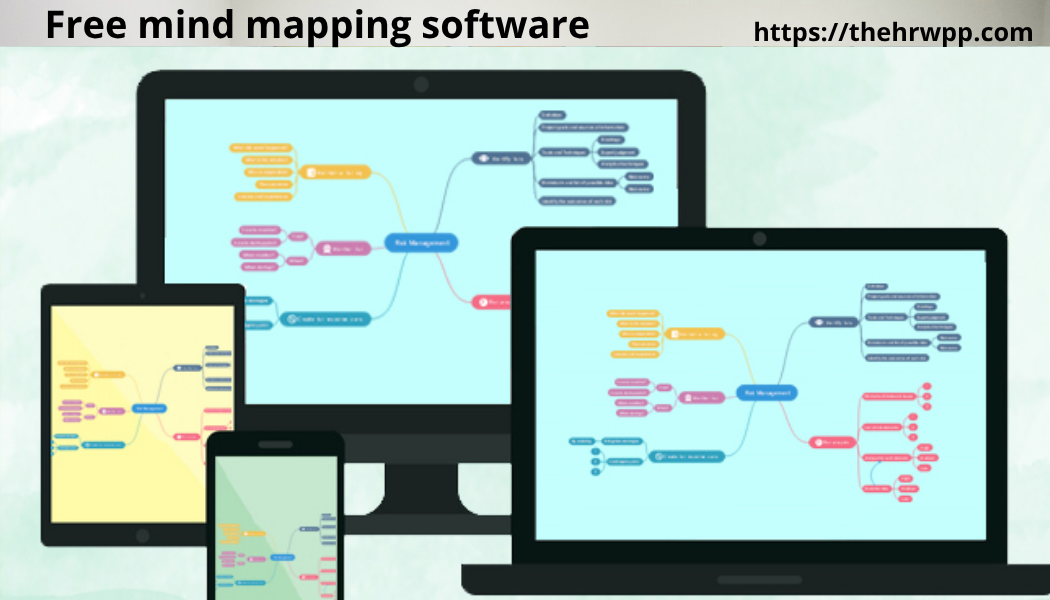
Free mind mapping software is a digital tool that helps users create visual diagrams for organizing ideas, tasks, concepts, and information. These diagrams are called mind maps.
A mind map usually starts with one central topic. Related ideas spread outward through branches. This structure makes information easier to understand and remember.
Unlike traditional note-taking, mind mapping allows users to see relationships between ideas instantly.
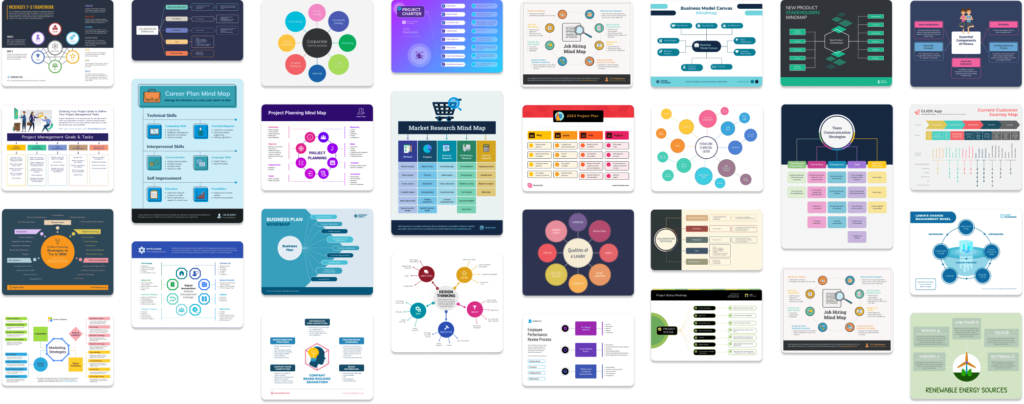
For example:
- Students use mind maps for studying
- Businesses use them for project planning
- Writers use them for content creation
- Marketers use them for campaign strategies
- Teams use them for brainstorming meetings
The term free mind mapping software refers to platforms that offer free plans or fully free tools for creating these visual maps.
Also read:What Does a Mind Map Look Like? Complete Beginner’s Guide for 2026
Why Free Mind Mapping Software Is So Popular in 2026
The popularity of free mind mapping software has grown rapidly because modern work requires faster thinking and better organization.
People now manage:
- Remote work
- Online classes
- Digital projects
- Content creation
- Team collaboration
- Information overload
Mind mapping tools simplify complex information and help users stay organized.
Another major reason for growth is artificial intelligence. Many modern mind mapping platforms now include AI-powered idea generation, smart templates, and automation tools.
Users can brainstorm ideas in seconds instead of spending hours organizing information manually.
Benefits of Using Free Mind Mapping Software
Improves Creativity
Mind maps encourage free thinking. Since ideas are connected visually, users can explore new concepts naturally.
This makes mind mapping perfect for:
- Brainstorming
- Business strategies
- Writing ideas
- Product development
- Creative projects
Makes Learning Easier
Students remember information better when it is organized visually. Studies show visual learning improves memory retention.
Mind maps help students:
- Prepare for exams
- Summarize chapters
- Organize research
- Understand difficult topics
Saves Time
Using free mind map software is faster than writing long notes manually.
Templates, drag-and-drop editing, and automatic formatting reduce planning time significantly.
Better Team Collaboration
Modern tools allow multiple users to edit mind maps together in real time.
This is useful for:
- Remote teams
- Online meetings
- Business planning
- Shared brainstorming sessions
Increases Productivity
Mind mapping helps users focus on important tasks and organize priorities clearly.
Many people use mind maps for:
- Daily planning
- Goal setting
- Workflow management
- Task tracking
How Free Mind Mapping Software Works
Most free mind mapping software platforms follow a simple process:
- Create a central topic
- Add branches for related ideas
- Add subtopics
- Customize colors and designs
- Add images, notes, or links
- Share or export the map
Advanced platforms also support:
- AI-generated maps
- Cloud syncing
- Mobile apps
- Presentation mode
- Project management tools
Best Free Mind Mapping Software in 2026
XMind
XMind is one of the most popular free mind mapping software tools available today.
It offers:
- Clean interface
- Professional templates
- Brainstorming mode
- Focus mode
- Export options
- Cross-platform support
XMind is excellent for beginners because it is easy to learn and visually attractive.
Best for:
- Students
- Professionals
- Writers
- Business users
MindMeister
MindMeister is a cloud-based tool designed for collaboration.
Key features include:
- Real-time teamwork
- Cloud access
- Presentation tools
- Mobile apps
- Task management
The free version supports limited maps but works well for personal projects.
Best for:
- Teams
- Online collaboration
- Remote work
Coggle
Coggle is known for simplicity and ease of use.
It offers:
- Unlimited image uploads
- Real-time collaboration
- Automatic saving
- Easy sharing
Coggle is perfect for users who want simple visual organization without advanced complexity.
Best for:
- Beginners
- Teachers
- Students
FreeMind
FreeMind is an older but powerful open-source solution.
Advantages include:
- Completely free
- Lightweight
- Fast performance
- Open-source flexibility
Its design looks outdated, but it remains useful for users who value functionality over appearance.
Best for:
- Developers
- Technical users
- Offline work
GitMind
GitMind is becoming more popular because of its AI-powered features.
Also read:How Can I Make a Mind Map? The Complete Beginner’s Guide to Creating Powerful Mind Maps
It provides:
- AI-generated ideas
- Flowcharts
- Collaboration tools
- Templates
- Cloud syncing
Best for:
- AI-assisted brainstorming
- Business planning
- Content creation
Canva
Canva is not only a design platform. It also includes excellent free mind map templates.
Features include:
- Drag-and-drop editing
- Visual templates
- Team sharing
- Presentation options
Best for:
- Designers
- Social media marketers
- Visual planning
Miro
Miro is widely used for online collaboration and visual teamwork.
It supports:
- Mind mapping
- Whiteboards
- Team workshops
- Project planning
- Sticky notes
Best for:
- Companies
- Remote teams
- Agile workflows
Features to Look for in the Best Free Mind Mapping Software
Easy Interface
The software should be simple to use. Complicated interfaces reduce productivity.
A clean layout helps users focus on ideas instead of learning software.
Collaboration Tools
If you work with teams, choose a tool with real-time collaboration.
Look for:
- Shared editing
- Comments
- Team access
- Video meeting integration
Cloud Storage
Cloud syncing allows access from different devices.
This feature is important for:
- Remote work
- Students
- Multi-device users
AI Features
Modern free mind mapping software often includes AI support.
AI tools can:
- Generate ideas
- Create outlines
- Suggest structures
- Improve brainstorming
Export Options
Good software should support exporting to:
- PNG
- Word
- PowerPoint
Templates
Templates save time and improve productivity.
Popular templates include:
- SWOT analysis
- Project planning
- Study notes
- Business strategy
- Marketing plans
Free Mind Map Software vs Paid Software
Many users wonder if free mind map software is enough or if paid plans are necessary.
The answer depends on your needs.
Free Versions Are Good For
- Students
- Personal projects
- Basic brainstorming
- Small teams
- Learning mind mapping
Paid Versions Are Better For
- Large businesses
- Advanced collaboration
- Enterprise security
- Unlimited storage
- Professional presentations
For most beginners, free mind mapping software is more than enough.
How Students Use Free Mind Mapping Software
Students are among the biggest users of mind mapping tools.
They use them for:
- Exam preparation
- Essay planning
- Research organization
- Language learning
- Science diagrams
Visual learning improves understanding and memory retention significantly.
Instead of memorizing long pages of notes, students can quickly review key concepts visually.
How Businesses Use Free Mind Mapping Software
Businesses use mind maps to simplify complex planning.
Common business uses include:
Project Planning
Managers organize project timelines, tasks, and goals visually.
Marketing Campaigns
Marketing teams brainstorm:
- Keywords
- Social media ideas
- Ad campaigns
- Content strategies
Meeting Notes
Mind maps make meetings more organized and easier to review later.
Workflow Management
Teams use visual diagrams to track processes and responsibilities.
How Content Creators Use Free Mind Mapping Software
Content creators often struggle with idea organization.
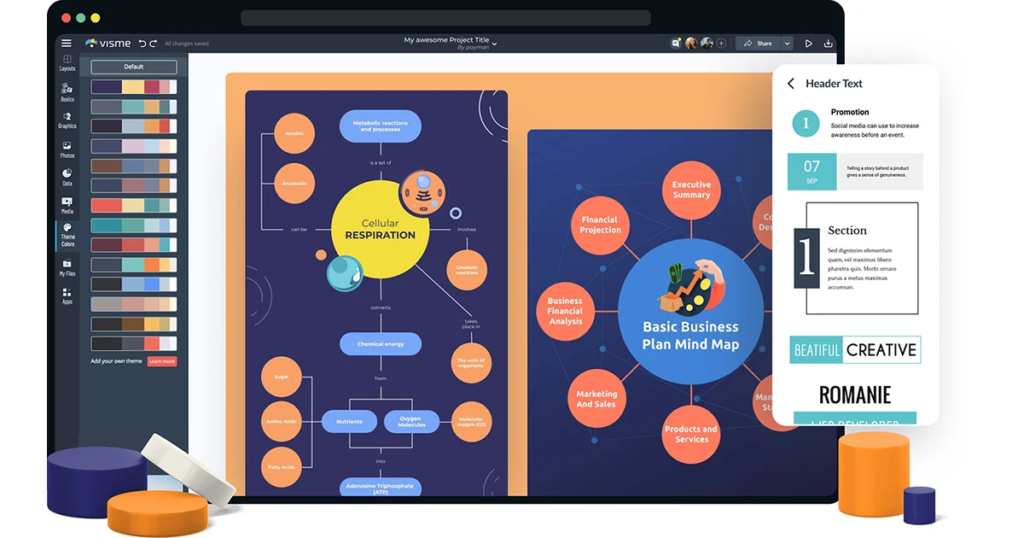
Mind maps help organize:
- Blog topics
- YouTube scripts
- SEO strategies
- Keyword clusters
- Social media content
For example, a blogger can create a central topic called “Digital Marketing” and add branches like:
- SEO
- Email marketing
- Social media
- PPC advertising
- AI marketing
This creates a complete content strategy visually.
Also read:How to Design a Mind Map: Step-by-Step Guide for Students, Businesses, and Creative Thinkers in 2026
Common Mistakes to Avoid When Using Free Mind Mapping Software
Adding Too Much Information
A mind map should stay simple and visual.
Too much text creates confusion.
Use:
- Short phrases
- Keywords
- Clear categories
Ignoring Structure
Ideas should follow logical relationships.
Random branches reduce clarity.
Using Too Many Colors
Colors improve organization, but too many can become distracting.
Forgetting Priorities
Important ideas should stand out visually.
Use larger branches or icons for priorities.
Expert Tips for Creating Better Mind Maps
Start With One Clear Goal
Before creating a map, ask:
“What is the main purpose?”
This keeps your ideas focused.
Use Keywords Instead of Sentences
Short keywords improve readability and memory.
Keep Branches Organized
Use consistent structure and spacing.
Add Visual Elements
Icons and images improve understanding.
Review and Update Regularly
Mind maps should evolve as projects or ideas change.
Why AI Is Changing Free Mind Mapping Software
Artificial intelligence is transforming how people brainstorm and organize ideas.
AI-powered tools now help users:
- Generate ideas instantly
- Build automatic mind maps
- Organize tasks
- Suggest improvements
This saves time and improves creativity.
AI also helps beginners who may struggle with organizing complex topics manually.
Best Free Mind Mapping Software for Different Users
Best for Students
- XMind
- Coggle
- FreeMind
Best for Businesses
- Miro
- MindMeister
- GitMind
Best for Content Creators
- Canva
- XMind
- GitMind
Best for Collaboration
- Miro
- MindMeister
Best Open-Source Option
- FreeMind
How to Choose the Right Free Mind Mapping Software
Choosing the right tool depends on your goals.
Ask yourself:
Do You Need Collaboration?
If yes, choose cloud-based platforms like MindMeister or Miro.
Do You Need Offline Access?
Choose desktop software like FreeMind or XMind.
Do You Want AI Features?
GitMind offers excellent AI support.
Do You Need Visual Templates?
Canva provides attractive visual layouts.
Mobile Mind Mapping Apps in 2026
Most modern free mind mapping software tools now support mobile apps.
Benefits include:
- Brainstorming anywhere
- Quick note organization
- Real-time updates
- Cross-device syncing
This flexibility is useful for busy professionals and students.
Is Free Mind Mapping Software Safe?
Most trusted platforms use secure cloud storage and encrypted connections.
However, users should still:
- Use strong passwords
- Avoid sharing sensitive data publicly
- Choose trusted software providers
Businesses handling confidential information may prefer enterprise-grade security features.
Future Trends in Free Mind Mapping Software
The future of free mind mapping software looks exciting.
Upcoming trends include:
AI Automation
AI-generated brainstorming will become even smarter.
Voice-Based Mapping
Users may create mind maps using voice commands.
Virtual Reality Collaboration
Teams may brainstorm inside virtual workspaces.
Better Integration
Mind mapping tools will connect more deeply with:
- Project management software
- AI assistants
- CRM systems
- Productivity apps
Free Mind Mapping Software for SEO and Digital Marketing
SEO experts increasingly use mind maps to organize content strategies.
Mind maps help with:
- Keyword clustering
- Topic authority planning
- Website structure
- Content calendars
- Internal linking strategies
For example, a digital marketer targeting “free mind mapping software” might create related keyword branches like:
- free mind map software
- best free mind mapping software
- mind map software free
- AI mind mapping tools
- online brainstorming tools
This improves content organization and SEO performance.
Why Visual Thinking Improves Productivity
The human brain processes visuals faster than plain text.
Mind maps work because they match natural thinking patterns.
Benefits include:
- Faster understanding
- Better memory
- Improved creativity
- Easier problem solving
That is why visual planning tools are becoming essential in education and business.
Final Thoughts
Free mind mapping software has become one of the most valuable productivity tools in modern digital life. Whether you are a student preparing for exams, a business manager planning projects, or a content creator organizing ideas, mind mapping can improve clarity, creativity, and efficiency.
The good news is that many excellent tools are now available for free. Platforms like XMind, MindMeister, GitMind, Canva, Miro, Coggle, and FreeMind offer powerful features without requiring expensive subscriptions.
The best free mind mapping software depends on your goals, workflow, and collaboration needs. Some users prefer simplicity, while others need advanced AI tools and team collaboration features.
As technology continues to evolve, mind mapping software will become even smarter, faster, and more integrated into daily productivity systems.
If you want to think more clearly, organize ideas faster, and improve productivity in 2026, using free mind mapping software is one of the smartest decisions you can make.
Frequently Asked Questions
What is the best free mind mapping software in 2026?
Popular options include XMind, MindMeister, GitMind, Miro, Canva, Coggle, and FreeMind. The best choice depends on your needs and workflow.
Is free mind map software good for students?
Yes. Students use free mind map software for note-taking, exam preparation, essay planning, and research organization.
Can I use free mind mapping software for business projects?
Absolutely. Many businesses use free mind mapping software for brainstorming, workflow planning, marketing strategies, and team collaboration.
Does free mind mapping software support AI features?
Yes. Modern platforms like GitMind include AI-powered brainstorming and automatic idea generation.
Can I collaborate with teams using free mind mapping software?
Yes. Many tools offer real-time collaboration features, including Miro and MindMeister.
Is mind mapping better than traditional note-taking?
For many people, yes. Visual organization often improves memory, creativity, and understanding more effectively than plain text notes.